
The Complete Guide to Inventory and Warehouse Management
Built For





Inventory and warehouse management are crucial components of supply chain operations that impact the success and profitability of businesses. From maintaining optimal inventory levels to streamlining warehouse processes, effective management can lead to significant cost savings, improved customer satisfaction, and increased revenue. This comprehensive guide explores the essential elements of inventory and warehouse management, from defining the concept to discussing challenges and solutions.
What is inventory and warehouse management?

Inventory and inventory management
Inventory refers to the items a company keeps in stock to meet the demands of its customers, maintain production, and ensure smooth business operations. Inventories can be in various forms, such as raw materials, work-in-progress goods, and finished products.
Inventory management refers to the strategic planning, control, and monitoring of all activities related to a company’s inventory. Inventory management involves the acquisition, storage, tracking, and distribution of goods, as well as the optimization of inventory levels to meet customer demand while minimizing costs. Effective inventory management ensures that the right products are available in the right quantities, at the right time, in the right locations, and at the right cost. Inventory management involves forecasting demand, setting reorder points, implementing inventory control systems, and maintaining accurate inventory records. By efficiently managing inventory, businesses enhance customer satisfaction, minimize stockouts and overstock situations, improve cash flow, and increase profitability.
Warehouse management
Warehouse management is the systematic process of organizing, storing, tracking, and controlling the movement and flow of items within a warehouse. Warehouse management involves the efficient management of storage facilities and warehouse operations to optimize the use of available space, reduce costs, and ultimately improve the overall efficiency of the supply chain.
Effective inventory management and warehousing
An effective inventory and warehouse management system is crucial for a business, optimizing warehouse inventory management processes and enabling the company to maintain adequate stock levels, streamline warehouse operations, improve customer experience, reduce costs, and enhance overall supply chain management.
Inventory and warehouse management objectives
Key objectives of inventory and warehouse management systems include:
- Maintaining optimal inventory levels.
- Improving warehouse efficiency and productivity.
- Ensuring accurate tracking and visibility of stock.
- Reducing stock obsolescence and wastage.
- Facilitating proper order fulfillment.
- Enhancing the overall customer experience.

What are the various types of inventories?
Raw Materials

Work-in-Progress

Finished Goods

MRO Supplies

Examples of inventories for paper production
Raw materials
Raw materials are the essential components or ingredients used to manufacture finished goods and are procured from suppliers and transformed into products during production.
Work-in-progress goods
Work-in-progress goods refer to items currently undergoing manufacturing and still need to be completed. This type of inventory represents goods in various stages of production.
Finished goods
Finished goods are completed products ready for sale or distribution to customers. These goods have been through the entire production process and are ready for final consumption.
Maintenance, repair, and operating (MRO) supplies
Maintenance, repair, and operating (MRO) supplies are used in the production process but are not part of the finished product. These supplies include tools, equipment, machinery, and other materials needed for the smooth operation of the production facility.
Naming techniques
Naming techniques for diverse inventory models can include SKU codes, batch numbers, serial numbers, product descriptions, or other identifiers that help classify, track, and manage various types of inventories.
How to optimize inventory management

Real-time data and analytics
Utilizing real-time data and analytics allows businesses to track inventory quantities and movement in real time, providing valuable insights for decision-making and enabling practical warehouse inventory management actions. These insights can help identify trends, improvement opportunities, and potential challenges in inventory management.
Forecasting and demand planning
Implementing forecasting and demand planning helps predict and plan future inventory requirements based on historical sales data and market trends. Accurate demand forecasting assists warehouse managers in maintaining optimal stock levels, avoiding stockout situations, and preventing overstocking.
Streamlining order and replenishment
Streamlining order and replenishment processes in warehouse inventory management ensures businesses can efficiently manage and execute orders, reducing lead times and improving customer satisfaction.
Monitoring inventory levels and setting appropriate safety stock
Monitoring inventory levels and setting appropriate safety stock based on historical demand data, market trends, and lead times helps businesses to maintain adequate inventory levels to meet customer needs and buffer against unforeseen fluctuations in demand.
Inventory reduction and control
Employing inventory reduction and control strategies through inventory and sales analysis helps businesses minimize holding costs and reduce the risk of inventory obsolescence, spoilage, or damage.
What determines effective warehouse management?

Organizing warehouse layout and storage systems
Organizing warehouse layout and storage systems help to maximize space utilization, ensure the efficient flow of goods, and improve overall warehouse productivity. A well-designed layout enables easy and quick access to items, minimizes product handling, and reduces the risk of damage or misplacement.
Streamlining warehouse processes
Streamlining warehouse processes, such as receiving, put-away, picking, packing, and shipping, can boost warehouse efficiency, reduce errors, and enhance the customer experience. Additionally, warehouse managers implement standard operating procedures, lean principles, or other process improvement techniques to improve overall warehouse operations.
Inventory and warehouse management software
Investing in warehouse technology solutions, such as inventory management software, warehouse management systems, and barcode scanners, enables businesses to automate various tasks, improve accuracy, and enhance overall operational efficiency.
Key performance indicators (KPIs)
Implementing KPIs, such as inventory turnover, order accuracy, order cycle time, and warehouse productivity, helps warehouse managers track performance, identify inefficiencies, and make data-driven decisions for continuous improvement.
Employee training and management
Ensuring proper employee training and management encourages a skilled and motivated workforce capable of contributing to efficient warehouse operations and delivering quality customer service experiences. Effective training programs should cover safety, equipment handling, inventory management tools, and warehouse management systems.
Which warehouse technologies should you implement?
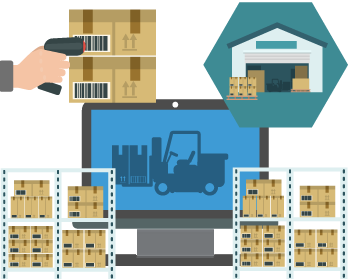
Inventory software and a warehouse management system (WMS)
A Warehouse Management System (WMS) is inventory and warehouse management software that oversees and streamlines various activities within a warehouse or distribution center. The WMS manages inventory by tracking the location, quantity, and status of all items in real-time, facilitating accurate stock management. The WMS handles order fulfillment processes, from creation to picking, packing, and shipping, ensuring efficient and error-free operations. Overall, the WMS enhances operational efficiency, improves inventory accuracy, and boosts customer satisfaction in warehouse and distribution operations.
Barcode scanning
Barcode scanning is essential in a warehouse as it streamlines inventory management by enabling quick and accurate identification and tracking of items. Each item is assigned a unique barcode to be scanned, providing real-time visibility of stock levels and locations. By scanning barcodes during receiving, picking, and shipping processes, warehouse staff minimize errors, reduce manual data entry, and improve operational efficiency. Barcode scanning ensures accurate inventory counts, facilitates efficient order fulfillment, and enhances inventory accuracy, ultimately improving productivity and customer satisfaction in warehouse operations.
How inventory software assists with managing warehouse labor effectively

Inventory software is crucial in managing warehouse labor effectively by providing tools and features that streamline various warehouse operations. By leveraging inventory software’s capabilities, warehouse managers optimize labor utilization, reduce costs, improve accuracy, and enhance overall efficiency in warehouse operations. Inventory software provides a centralized platform for managing inventory-related tasks and empowers managers to make data-driven decisions for effective labor management.
Automated inventory tracking and forecasting
Inventory software enables real-time tracking of inventory levels, locations, and movements, eliminating the need for manual counting and reducing the time and effort required from warehouse staff. Having accurate and up-to-date inventory information allows labor to be allocated more efficiently, preventing overstaffing or understaffing situations. Additionally, inventory software’s demand forecasting capabilities help warehouse managers anticipate future demand and plan labor requirements accordingly.
Order management and fulfillment
Warehouse labor is involved in picking, packing, and shipping customer orders. Inventory software optimizes these processes by generating pick lists and optimized routing instructions, reducing the time and effort required to locate items within the warehouse.
Collaboration, communication, training, and technology
Managing the human element in warehouse operations involves effective communication, employee training, and performance management. Effective communication among warehouse staff is crucial for smooth operations. Inventory management software’s collaboration features facilitate better coordination among team members, allowing them to share updates, seek assistance, and resolve issues promptly. Additionally, ensuring that warehouse staff are well-trained, motivated, and equipped with the necessary tools and technologies is crucial for maintaining productivity and efficiency.
What are the challenges and solutions in inventory and warehouse management?

Inventory and demand inaccuracies
Coping with customer preferences and changing market dynamics necessitates continuous monitoring, adaptation, and agility to respond to evolving needs. Implementing barcode technology and inventory software improves accuracy by automating data capture and updating inventory levels in real time. Inventory management software’s advanced analytical tools and forecasting techniques leveraging historical sales data and trends improve forecast accuracy and facilitate better inventory planning.
Warehouse space optimization
An efficient organization is crucial for maintaining a smooth and productive workflow, regardless of whether a distributor operates a single warehouse or multiple ones. When picking routes and patterns within the warehouse could be better designed, it results in time-consuming and frustrating pick sessions for warehouse employees. Moreover, inefficient pick routes contribute to longer fulfillment times, making it challenging to fulfill orders promptly and desirably.
Inventory and warehouse management software’s warehouse layout capabilities offer users the ability to input their warehouse floor’s precise design and generate intelligent picking maps for both single and batch-picking orders, eliminating the need for zigzagging between aisles and bin locations, replaced instead by the most efficient and time-saving path for the picker.
Inventory carrying costs
Holding excess inventory ties up capital and incurs carrying costs such as storage, insurance, and depreciation. Conducting regular inventory audits and utilizing inventory software to track and analyze inventory turnover optimizes inventory levels and reduces carrying costs.
Supplier management
Coordinating with multiple suppliers and ensuring timely replenishment can be complex.
Inventory software helps manage suppliers by providing tools and features that streamline supplier management processes and enables businesses to maintain a centralized supplier database and store essential supplier information such as contact details, pricing agreements, and lead times. With reorder triggers, inventory software facilitates seamless communication and collaboration with suppliers and helps optimize the replenishment process by generating purchase orders based on inventory levels, demand forecasts, and predefined reorder points. Inventory software also enables monitoring of supplier performance through metrics such as on-time delivery, quality, and responsiveness, allowing businesses to make informed decisions regarding supplier selection, contract negotiations, and overall supplier relationship management.
Regulatory compliance
Compliance with industry regulations, such as product traceability or safety requirements, is essential.
Implementing inventory software with lot tracking, expiration date management, and regulatory reporting helps businesses meet compliance standards and streamline audit processes.
Call us at 817-870-1311